Handling Refunds for Online Orders
A refund process should be fast enough to treat the customer fairly and controlled enough to prevent duplicates, fraud and accounting gaps. The restaurant needs one workflow across website, app, marketplace and teleph…
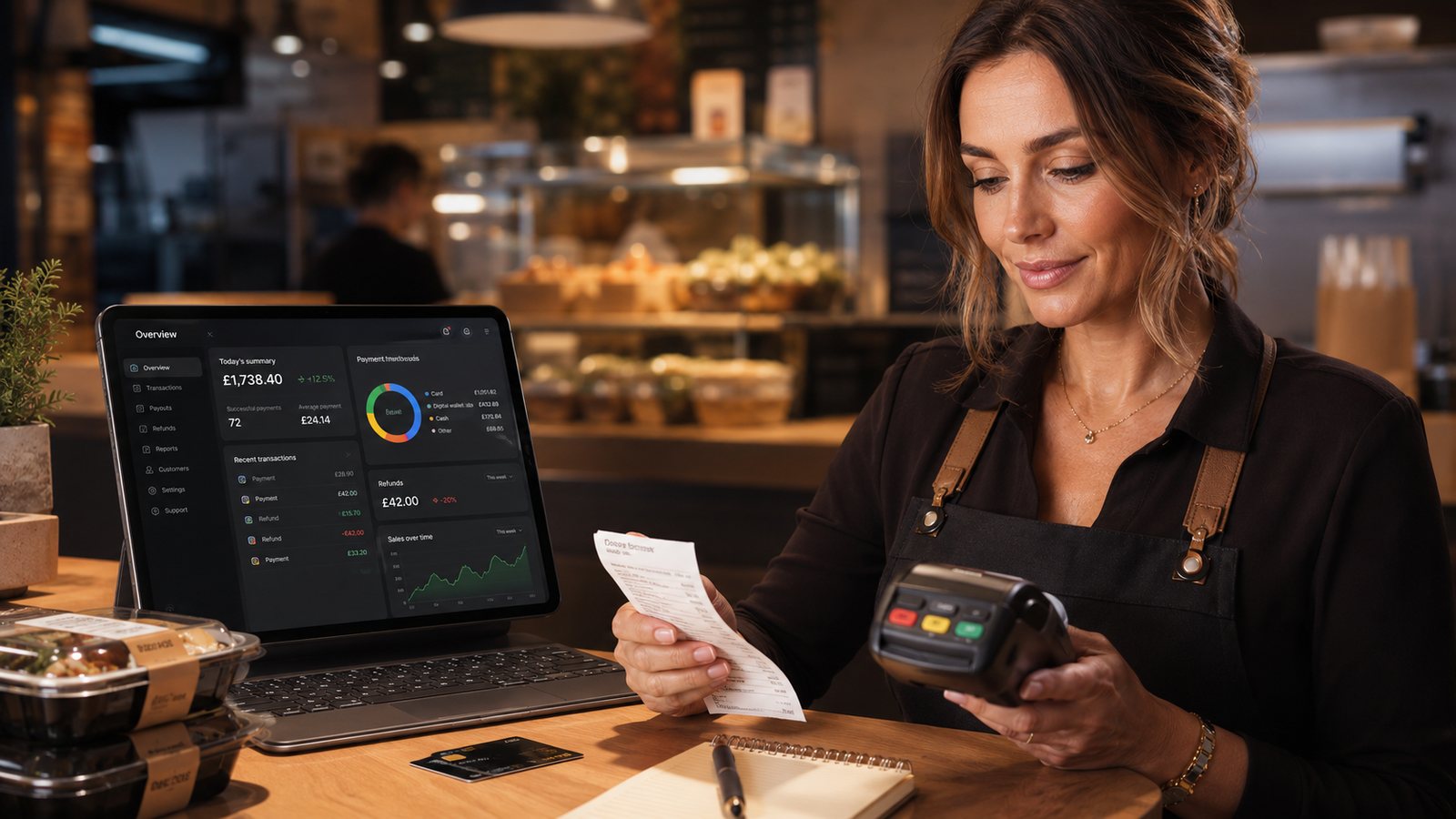
A refund process should be fast enough to treat the customer fairly and controlled enough to prevent duplicates, fraud and accounting gaps. The restaurant needs one workflow across website, app, marketplace and telephone-supported orders.
Identify the order and payment route
Before promising a refund, confirm:
- order number;
- channel;
- payment method;
- payment provider or marketplace;
- order status;
- items affected;
- customer’s requested outcome;
- whether any refund, credit or redelivery already exists.
A direct card refund cannot always be processed through the restaurant system if the marketplace took the payment. Route the case through the correct provider.
Choose the remedy
| Problem | Possible remedy | Control |
|---|---|---|
| One missing side or drink | Partial refund, credit or replacement | Do not refund unaffected items automatically |
| Wrong main item | Replacement or appropriate refund | Consider time, customer need and food-safety implications |
| Entire order unusable or not delivered | Redelivery or full refund | Verify the cause and avoid duplicate compensation |
| Duplicate payment | Refund the extra transaction | Confirm two successful payments and one intended order |
| Customer cancellation | Apply the stage-based policy fairly | Record whether preparation started and any unavoidable loss |
| Payment succeeded but order failed | Recreate the order safely or refund | Check for duplicate kitchen tickets before acting |
Use a stage-based cancellation policy
A practical policy can distinguish:
- Before acceptance: cancellation may be straightforward if the payment and platform permit it.
- Accepted but not started: the restaurant may still be able to stop the order.
- Preparation started: the business may have incurred real loss, but the response must remain fair and legally compliant.
- Dispatched: cancellation becomes a delivery and customer-service decision.
- Business failure: where the restaurant cannot supply what was agreed, a suitable remedy is required.
Do not publish a blanket no-refund statement. Prepared food is perishable, but customers still have rights where the order is faulty, not as described or not supplied as agreed.
Process direct refunds
- Open the original transaction through an authorised account.
- Confirm the refundable amount available.
- Select full or partial refund.
- Record the reason and affected items.
- Submit the refund through the original payment route where possible.
- Update the restaurant order record.
- Send written confirmation to the customer.
- Reconcile the refund in the provider statement and accounts.
Do not refund to an unrelated card or bank account without a provider-approved process.
Process marketplace refunds
Confirm:
- whether the restaurant or platform opens the case;
- what evidence is required;
- who decides the remedy;
- who funds it;
- whether commission and delivery charges are adjusted;
- where the deduction appears;
- how the restaurant can challenge an incorrect decision.
Record any replacement sent directly by the restaurant so customer service and finance can see the full remedy.
Communicate accurately
Tell the customer:
- what amount has been submitted;
- which order it relates to;
- the date of submission;
- that the card provider or bank controls when it appears;
- how to contact the restaurant if it does not appear after the provider’s stated period.
Do not state that the money is already back in the account when the refund is only submitted.
Failed or delayed refund
If a refund cannot be processed:
- capture the provider error;
- confirm the original transaction status;
- check the available refundable amount;
- check whether another refund already exists;
- raise a provider case;
- give the customer a realistic update;
- assign an owner and follow-up date.
Permissions and fraud control
- Use individual staff accounts.
- Limit high-value refunds to authorised managers.
- Require a reason and audit record.
- Review repeated refunds by staff member, customer, address and channel.
- Do not publicly accuse customers of fraud.
- Escalate unusual patterns privately.
Reconciliation
Match:
- order value;
- refund amount;
- provider transaction reference;
- refund status;
- fee treatment;
- marketplace adjustment where applicable;
- accounting entry;
- bank or settlement effect.
Refund log
Record:
- date;
- order and channel;
- reason;
- root cause;
- amount;
- replacement or credit;
- staff owner;
- provider status;
- customer notified;
- preventive action.
Related guides
- Payments — the main guide for the wider topic.
- Refunds and Chargebacks — the broader guide that frames this implementation.
- Chargeback Management for Restaurants — a closely related operational control to review alongside this page.
- When to Refund vs When to Redeliver — a closely related operational control to review alongside this page.
Official guidance checked
- GOV.UK: accepting returns and giving refunds
- GOV.UK Pay: an official example of payment-refund states and failures
Guidance checked: 24 July 2026. Follow the restaurant’s provider and marketplace procedures and obtain qualified advice for disputed legal obligations.
Operational, legal and platform requirements can change. Recheck official guidance and supplier documentation before altering a live service.
Related practical guides
 PaymentsPayment Methods for Takeaway OrderingThe best payment mix is the one customers can use easily and staff can reconcile accurately. Adding every available method can create more failur…Read guide →
 PaymentsPCI DSS Compliance for RestaurantsPCI DSS is the payment-card industry security standard. It applies to organisations that store, process or transmit cardholder data, and it can a…Read guide →PaymentsMarketplace Payout IssuesA missing or reduced marketplace payout should be investigated as a reconciliation problem, not guessed from the bank balance. The difference may…Read guide →PaymentsHow to Set Up Digital ReceiptsA digital receipt should give the customer a reliable record without creating a new privacy problem or weakening the restaurant’s accounting trai…Read guide →PaymentsHow to Measure Marketplace CommissionThe headline commission percentage is not the same as the total cost of a marketplace order. To measure the channel properly, use order-level sta…Read guide →
 PaymentsHow to Calculate Contribution Margin by Ordering ChannelContribution margin shows what remains after the costs that change with, or are avoidable because of, an order. It is useful for channel and pric…Read guide →
Connect customer ordering with operations and profit
Use the wider guide library to check the menu, kitchen, fulfilment, payment and financial implications of each decision.
Browse all practical guides