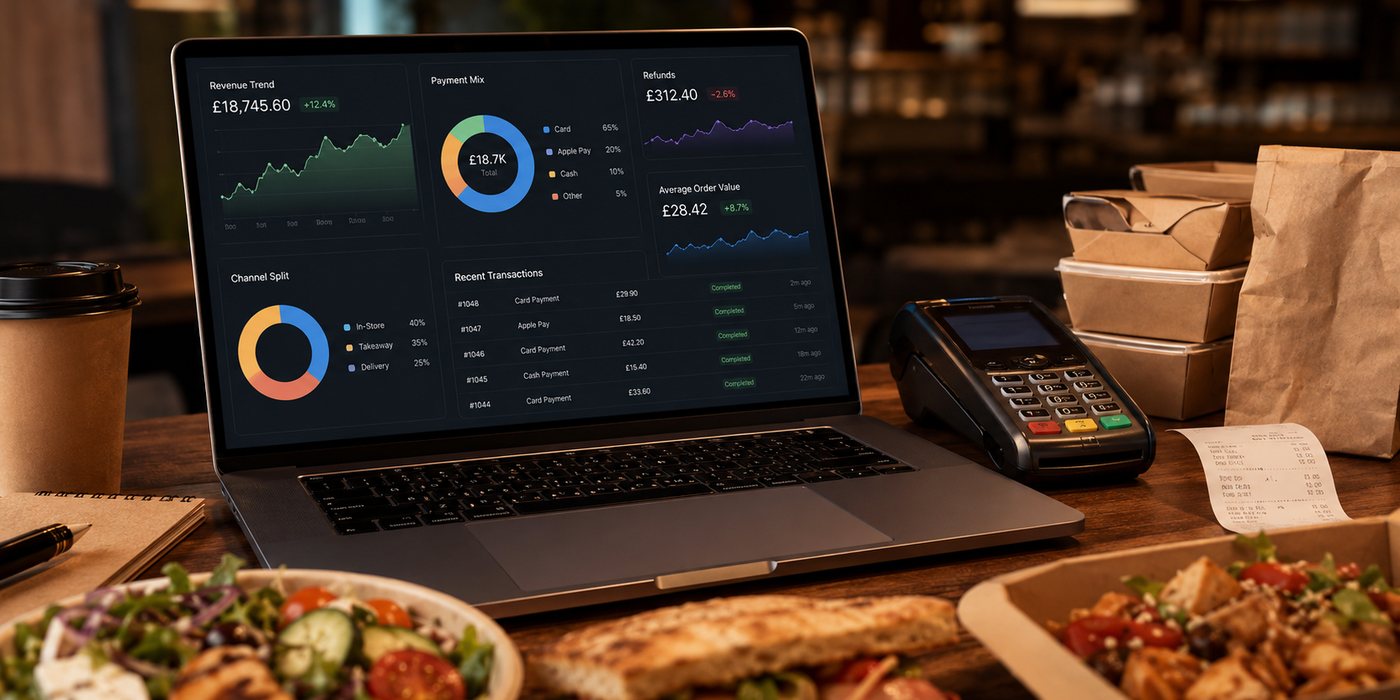
A POS report is useful only when the underlying order data is consistent. If marketplace orders, direct orders, telephone sales, refunds and discounts use different definitions, a polished dashboard can still give the wrong answer.
This hub explains how to build reporting that supports kitchen decisions, channel comparisons and reliable reconciliation rather than producing more charts.
Related guides
- POS and Kitchen Systems — the main guide for the wider topic.
- POS Reporting for Multi-Channel Operations — a detailed next step for putting this guidance into practice.
- Using POS Data to Improve Operations — a detailed next step for putting this guidance into practice.
- Menu Management in POS — a closely related operational control to review alongside this page.
- POS Hardware and Accessories — a closely related operational control to review alongside this page.
Define the source of truth
Decide which system owns each record:
- menu item and modifier definitions;
- order acceptance and fulfilment status;
- payment status;
- refund status;
- delivery or collection method;
- customer channel;
- tax mapping;
- staff actions and overrides.
The POS may be the operational source of truth without being the payment or marketplace accounting source. Document the boundary.
Build a clean order record
| Field | Reporting value |
|---|---|
| Stable order ID | Connects POS, online ordering, payment and support |
| Channel and sub-channel | Separates marketplace, direct website, app, telephone and walk-in |
| Location | Supports multi-site comparison without mixing tills |
| Order timestamps | Measures acceptance, preparation, ready and handover stages |
| Item and modifier IDs | Preserves menu analysis after names change |
| Price components | Separates sales, discounts, delivery, tips and service charges |
| Payment and refund references | Supports reconciliation without storing card data |
| Exception reason | Explains voids, cancellations, remakes and manual overrides |
Reports should answer operational questions
Demand
- When do orders arrive?
- Which channels create overlapping peaks?
- Which postcodes or collection slots drive demand?
Kitchen performance
- How long does each stage take?
- Which items or modifiers create delay?
- Where do remakes and missing items occur?
Commercial performance
- What are gross sales and contribution by channel?
- What discounts and commissions apply?
- Which items sell but add excessive workload or waste?
Control
- Which refunds and voids require review?
- Which orders have no matching payment?
- Which menu or tax settings were changed?
Do not compare channels on headline sales alone
For a useful channel comparison, separate:
- gross order value;
- VAT treatment;
- discount funding;
- commission and processing fees;
- delivery cost;
- packaging;
- refunds and remakes;
- incremental labour;
- contribution.
Use the same period, status definitions and refund treatment for every channel.
Preserve history when menus change
Do not overwrite past reporting by reusing an item ID for a different product. Keep:
- stable item IDs;
- effective dates for price and tax changes;
- historical item names;
- modifier mappings;
- sold-out and deletion history.
Access and audit controls
- Restrict report exports.
- Separate ordinary sales access from refund and configuration access.
- Log manual adjustments.
- Review shared accounts.
- Retain reports needed for tax and reconciliation.
- Test data export before supplier termination.
Reporting cadence
| Frequency | Recommended focus |
|---|---|
| During service | Live backlog, prep time, capacity and failed integrations |
| Daily | Sales, orders, refunds, voids, payment exceptions and cash |
| Weekly | Channel contribution, item performance, repeated errors and staffing pattern |
| Monthly | Accounting reconciliation, VAT mapping, supplier fees and strategic trends |
Data-quality checks
- Orders cannot be completed without a channel.
- Refunds must link to an order and payment route.
- Manual discounts require a reason.
- Preparation time cannot be negative or measured from inconsistent timestamps.
- Cancelled orders are excluded or shown consistently.
- Marketplace sales are not represented only by net payouts.
- Test orders are identifiable.
Supplier questions
- Can raw order-level data be exported?
- Are item IDs stable after menu changes?
- Can reports separate gross sales, discounts, fees and refunds?
- How are marketplace and direct channels identified?
- Can timestamps for each operational stage be retrieved?
- Does the audit log show configuration and refund changes?
- What data remains available after contract termination?
Create a reporting glossary
Write a short definition for every important metric. For example:
- Completed order: an order fulfilled and not merely accepted.
- Gross order value: the customer-facing order value before provider deductions.
- Refund rate: specify whether it is calculated by order count or value and which date is used.
- Preparation time: define the start and end timestamps.
- Repeat customer: explain whether matching relies on a direct account, contact detail or another lawful identifier.
Store the glossary with the report. A metric is not stable if a new manager can interpret it differently.
Plan data migration and continuity
When replacing a POS, decide whether historic data will be:
- migrated into the new system;
- retained in a read-only archive;
- exported to accounting or reporting software;
- kept by the old supplier for an agreed period.
Test that historic order, refund and tax records remain readable after cancellation. Do not wait until the final contract day to request the first full export.
Use reports to challenge configuration
Unexpected figures may indicate a configuration problem rather than a business trend. Examples include:
- a sudden fall in item sales after item IDs were replaced;
- zero preparation time because a KDS status stopped updating;
- high “discount” value caused by marketplace commission being mapped incorrectly;
- negative sales caused by refunds being imported twice;
- all delivery charges mapped to one tax category without review.
Before acting on a surprising result, verify the source fields and a sample of real orders.
Next step
Choose three recurring decisions—such as peak staffing, channel contribution and refund control—and verify that the POS data can answer them consistently. Add reports only after the fields and definitions are reliable.