Using POS Data to Improve Operations
POS data is most useful when it changes a decision: staffing a Friday peak, simplifying a modifier, adjusting a collection slot or fixing a repeated packing error. It should not become a monthly report that nobody uses.
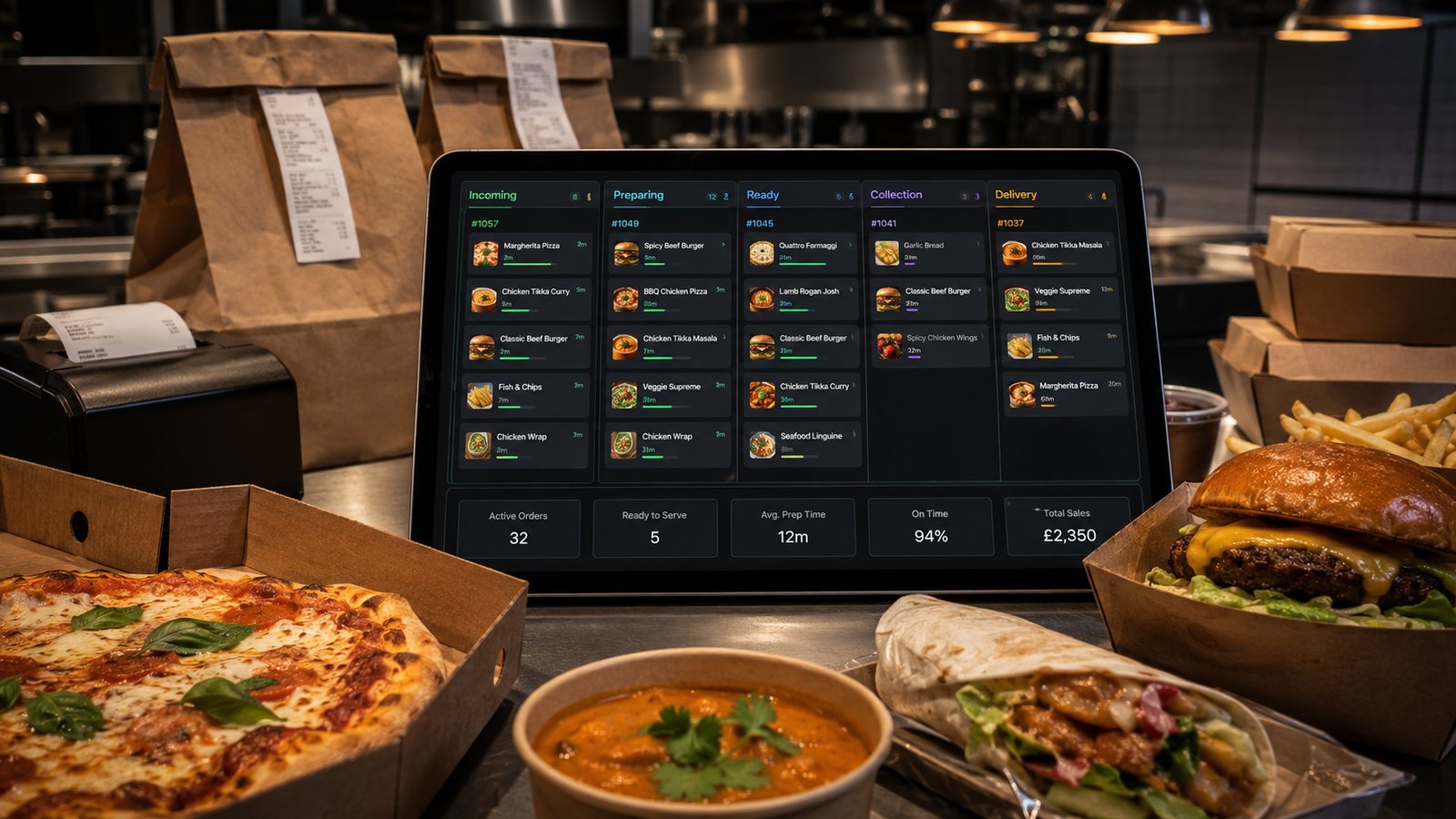
POS data is most useful when it changes a decision: staffing a Friday peak, simplifying a modifier, adjusting a collection slot or fixing a repeated packing error. It should not become a monthly report that nobody uses.
Begin with a decision, not a metric
| Decision | Data needed | Possible action |
|---|---|---|
| When to add kitchen capacity | Order arrivals, backlog, prep times and late orders | Change staffing, slots, throttling or menu availability |
| Which items to simplify | Sales, margin inputs, modifier complexity, remakes and prep time | Change recipe, modifier set, position or availability |
| Which channel to grow | Contribution, repeat behaviour, operational load and service quality | Adjust promotion or channel mix |
| Where errors occur | Refund reason, remake, missing item and process stage | Change menu data, kitchen display, packing or handover |
Analyse demand by operational interval
Daily totals hide peaks. Group orders into intervals that match how the kitchen works, then review:
- orders received;
- items or workload units;
- accepted capacity;
- backlog;
- actual preparation time;
- driver wait;
- late collection;
- refunds and remakes.
Do not assume every order has equal workload. A simple collection order and a large customised delivery can require very different capacity.
Measure the stages, not one total time
Where the system supports it, separate:
- order received to accepted;
- accepted to preparation started;
- preparation started to ready;
- ready to collected or dispatched;
- dispatch to delivered.
This shows whether delay is caused by tablet attention, kitchen capacity, packing, driver availability or customer collection.
Use item data carefully
Item popularity is not the same as profitability. Review:
- gross sales;
- ingredient-cost estimate;
- packaging;
- preparation time;
- modifier complexity;
- waste and sold-out frequency;
- refund or remake rate;
- channel commission where relevant.
Do not remove a low-volume item without considering whether it supports a dietary need, bundle or family order.
Find modifier problems
Report modifiers that:
- are frequently misunderstood;
- produce impossible combinations;
- cause handwritten kitchen notes;
- are often refunded;
- slow one station;
- are not mapped consistently across channels.
Fix the menu structure before blaming customers or staff.
Improve slot and capacity settings
Compare promised times with actual outcomes. If late orders cluster in a predictable interval:
- check staffing and station capacity;
- identify high-workload items;
- review marketplace and direct order overlap;
- adjust prep-time rules or order caps;
- test the change on a limited period;
- monitor customer complaints and lost orders.
A faster displayed time is not an improvement if accuracy and handover deteriorate.
Analyse refunds and remakes by root cause
Use controlled categories such as:
- wrong item;
- missing item;
- modifier error;
- quality or temperature;
- late delivery;
- payment or duplicate charge;
- customer address issue;
- platform or integration error.
Review the process stage and channel. A repeated “missing item” issue may be a packing-control problem rather than a staff-performance problem.
Protect staff and customer data
Use performance data to improve the process, not to create misleading league tables. Explain how staff metrics are used, restrict access and consider differences in role, shift, station and order mix.
Customer order history should be used within the stated privacy purposes. Do not export marketplace contacts for direct marketing merely because the data appears in an operational report.
Run controlled improvement cycles
- Define one problem.
- Record the current baseline.
- Choose one operational change.
- Set a review period.
- Monitor service, accuracy and contribution.
- Keep, adjust or roll back the change.
- Document what was learned.
Weekly review template
- One demand or capacity issue.
- One item or modifier issue.
- One accuracy or refund issue.
- One channel issue.
- One action with an owner.
- One result to review next week.
Five clear decisions are more useful than fifty unowned charts.
Use illustrative workload units carefully
Order count can understate kitchen load. A restaurant may create an internal workload model, for example assigning more weight to a large customised order than to a simple collection item. Such weights are operational tools, not universal industry data.
Build them from observation:
- choose a small set of representative order types;
- observe station time and bottlenecks;
- assign simple relative weights;
- test the model during several trading periods;
- adjust when the menu or process changes.
Guard against misleading conclusions
- A popular item may appear slow because it is ordered during the busiest period.
- A channel may have more refunds because it handles more delivery orders, not because the platform is inherently worse.
- A member of staff may show longer times because they work the most complex station.
- A promotion may raise order count while reducing contribution and accuracy.
- A sold-out item may look unprofitable because lost demand is invisible.
Compare like with like and combine data with observation from the kitchen.
Document the decision and rollback
For every data-led change, record:
- the problem and evidence;
- the change introduced;
- who owns it;
- what success and harm look like;
- the review date;
- the rollback action.
This prevents temporary experiments from becoming permanent settings without review.
Related guides
- POS and Kitchen Systems — the main guide for the wider topic.
- POS Data and Reporting — the broader guide that frames this implementation.
- POS Reporting for Multi-Channel Operations — a closely related operational control to review alongside this page.
Operational, legal and platform requirements can change. Recheck official guidance and supplier documentation before altering a live service.
Related practical guides
 POS and Kitchen SystemsTill Screens and Touch DisplaysA till screen is a working surface used hundreds of times during service. Its value depends on readable layout, fast interaction, stable mounting…Read guide →
 POS and Kitchen SystemsRestaurant POS Integration GuidePOS integration should move an order accurately from the customer channel into the restaurant’s operational workflow without retyping it. A conne…Read guide →POS and Kitchen SystemsRestaurant Ordering System Downtime PlanA downtime plan should help staff decide what to do in the first minutes, throughout the outage and after systems return. It must prevent duplica…Read guide →
 POS and Kitchen SystemsPrinter Setup and TroubleshootingA printer failure during service can hide orders, delay one kitchen station or create duplicate tickets. Troubleshooting should follow a fixed se…Read guide →POS and Kitchen SystemsOnline Menu Design MistakesAn online menu is part catalogue, part order form and part kitchen instruction. A design can look attractive while still causing abandoned basket…Read guide →POS and Kitchen SystemsKitchen Printers vs Customer ReceiptsKitchen tickets and customer receipts may originate from the same order, but they serve different users and should not be treated as the same doc…Read guide →
Connect customer ordering with operations and profit
Use the wider guide library to check the menu, kitchen, fulfilment, payment and financial implications of each decision.
Browse all practical guides