POS Reporting for Multi-Channel Operations
A multi-channel takeaway may receive orders from a direct website, mobile app, several marketplaces, telephone, walk-in and advance orders. Reporting fails when these sources are merged without preserving their channe…
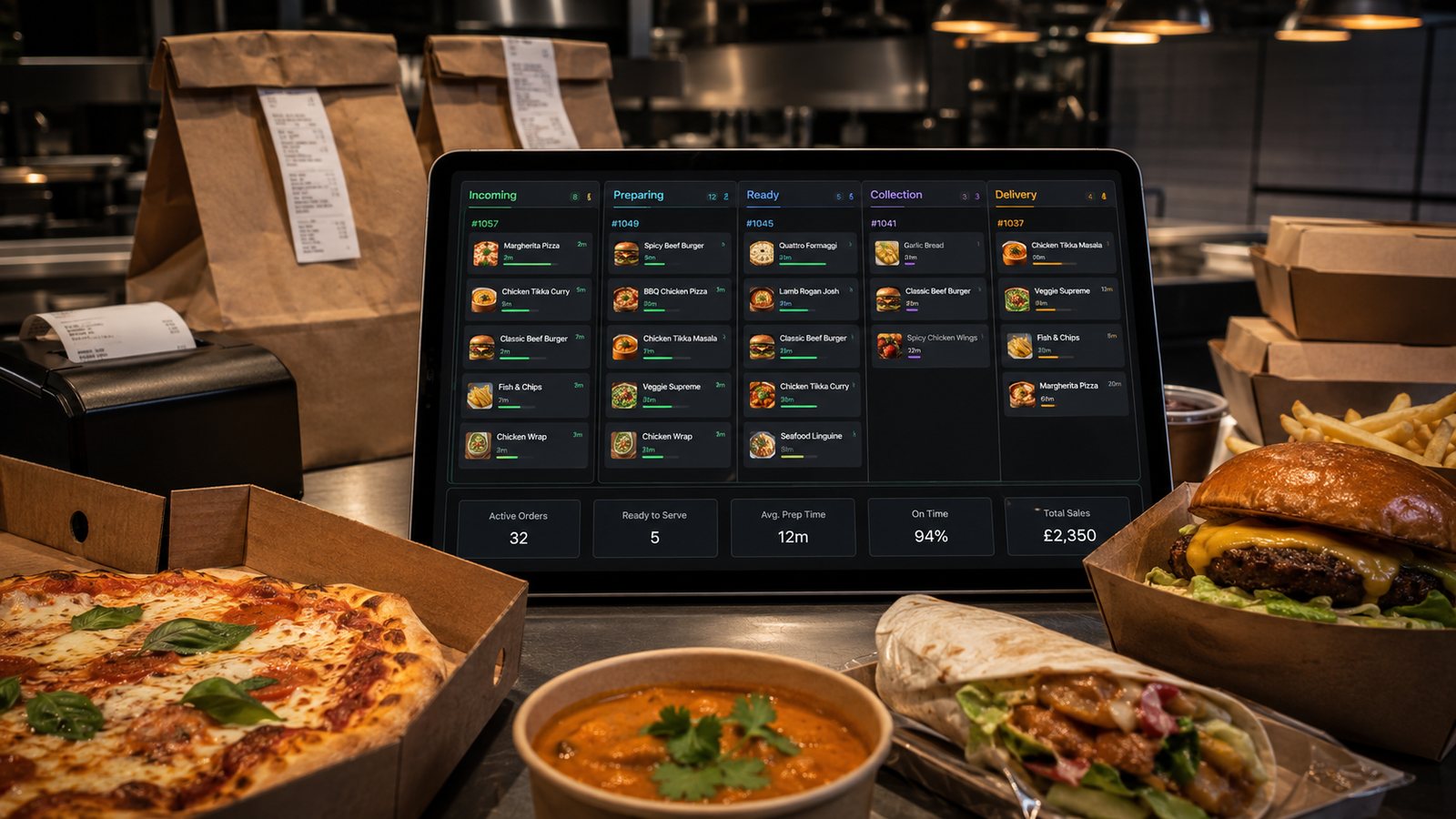
A multi-channel takeaway may receive orders from a direct website, mobile app, several marketplaces, telephone, walk-in and advance orders. Reporting fails when these sources are merged without preserving their channel, fees, fulfilment method and payment route.
Create a channel dictionary
Define each channel and keep the definition stable:
- direct website;
- direct app;
- marketplace by provider;
- telephone;
- walk-in;
- catering or advance order;
- manual recovery after an outage.
Do not use “online” as one category if the business needs to compare direct and marketplace economics.
Preserve order and fulfilment dimensions
Channel is not the same as fulfilment. A direct order can be delivery or collection, and a marketplace order can use platform delivery or restaurant drivers.
| Dimension | Examples |
|---|---|
| Order channel | Website, app, marketplace, telephone, walk-in |
| Fulfilment | Collection, own delivery, third-party delivery |
| Payment | Gateway, marketplace, terminal, cash |
| Location | Site, kitchen, collection point |
| Customer status | Guest, account holder, first recorded order, repeat recorded order |
Compare sales using consistent status rules
Decide whether sales reports include:
- accepted orders;
- completed orders;
- cancelled orders;
- refunded value;
- partially refunded orders;
- test orders;
- VAT-inclusive or VAT-exclusive values.
Apply the same definitions to every channel. Otherwise one provider may appear stronger simply because cancelled orders remain in its gross total.
Measure contribution, not only revenue
For each channel, consider:
- gross order value;
- discounts;
- marketplace commission;
- payment-processing cost;
- delivery cost;
- packaging;
- refunds and remakes;
- incremental labour;
- contribution before shared overheads.
Use current contracts and actual statements. Do not insert generic commission rates.
Report operational load
A profitable-looking channel can still damage service if it creates unmanaged peaks. Track:
- orders per 15- or 30-minute operational interval;
- acceptance delay;
- prep-time accuracy;
- late collections and driver waits;
- modifier complexity;
- failed integrations;
- remakes and missing items;
- manual tablet work.
Reconcile provider reports to POS
- Export order-level data from the POS.
- Export the provider statement for the same trading period.
- Match stable order references.
- Investigate missing, duplicated and differently valued orders.
- Separate provider deductions from restaurant sales.
- Match the net statement to the bank payout.
- Record the resolution of each difference.
Handle refunds consistently
A refund can appear in different periods and systems. Report at least:
- order date;
- refund decision date;
- refund submission date;
- settlement date;
- reason;
- responsible channel;
- restaurant cost.
Do not count a marketplace customer adjustment as both a sales reduction and a separate expense unless that reflects the accountant’s chosen treatment.
Dashboard design
A practical weekly dashboard can show:
- completed orders and gross sales by channel;
- average order value;
- contribution estimate;
- refund and remake rate;
- late-order rate;
- peak backlog;
- unreconciled value;
- oldest unresolved payout issue.
Every metric should link to underlying order-level evidence.
Common reporting errors
- Combining every digital order into one “online” row.
- Comparing net marketplace payout with gross direct sales.
- Ignoring restaurant-funded discounts.
- Using promised prep time as actual prep time.
- Counting rejected orders as demand fulfilled.
- Changing channel names halfway through the year.
- Using customer contact details from a marketplace as proof of a direct customer relationship.
Implementation checklist
- Channel dictionary approved.
- Channel, fulfilment and payment stored separately.
- Status and refund definitions documented.
- Provider order IDs mapped to POS IDs.
- Fees and deductions imported or reconciled.
- Operational load reported alongside sales.
- Raw exports retained.
- Dashboard totals tested against statements and bank deposits.
Handle attribution carefully
A customer may discover the restaurant on a marketplace, later use the direct website and then telephone to amend an order. POS data can show the recorded channel for each order, but it cannot always prove which marketing activity caused the purchase.
Label channel-shift analysis as an estimate unless the customer journey is directly observed. Do not treat a matching email address or postcode as proof that a marketplace customer was “converted”.
Multi-location reporting
For more than one site, keep location as a first-class field. Review:
- local menu and price differences;
- opening hours;
- delivery zones;
- staffing and capacity;
- marketplace contracts;
- refund authority;
- central versus local promotions.
Do not rank sites without adjusting for different order mix and operating conditions. Use comparison to identify questions, not to reward or punish teams automatically.
Reporting failure and rollback
If a new channel mapping, fee import or dashboard rule produces inconsistent totals:
- freeze automated posting;
- retain the raw source exports;
- identify the first affected date;
- compare a sample order through POS, provider and bank;
- correct the mapping;
- rebuild the affected reports;
- document the change and review period.
Control data refresh and cut-off
Record when each source is complete. A live POS total, a marketplace statement and a bank deposit may update at different times. Mark preliminary reports clearly and define when the weekly figure becomes final.
- Use a consistent trading-day cut-off.
- Record the time zone used by each provider.
- Allow for late marketplace adjustments.
- Lock approved accounting periods or document changes.
- Reissue reports when material corrections arrive.
This prevents managers from comparing a final direct-sales figure with an incomplete marketplace figure.
Related guides
- POS and Kitchen Systems — the main guide for the wider topic.
- POS Data and Reporting — the broader guide that frames this implementation.
- Using POS Data to Improve Operations — a closely related operational control to review alongside this page.
Operational, legal and platform requirements can change. Recheck official guidance and supplier documentation before altering a live service.
Related practical guides
 POS and Kitchen SystemsKDS for Multi-Station KitchensIn a multi-station kitchen, a KDS must coordinate separate teams without losing the order as a whole. The fryer, grill, preparation section and d…Read guide →POS and Kitchen SystemsKDS Setup and ConfigurationKDS configuration is an operational project, not a screen-installation task. The system must translate menu data into station work, show realisti…Read guide →POS and Kitchen SystemsInternet Connectivity for Takeaway OperationsTakeaway connectivity should be designed around continuity, not headline download speed. Online ordering, payment terminals, POS synchronisation,…Read guide →
 POS and Kitchen SystemsHow to Sync Menus Across ChannelsMenu synchronisation should reduce duplicate work without hiding errors. The goal is not to force every channel to look identical. The goal is to…Read guide →POS and Kitchen SystemsHow to Plan Menu Availability and Sold-Out RulesAn unavailable item should disappear or become clearly unavailable before the customer pays. Good availability rules reduce customer calls, refun…Read guide →
 POS and Kitchen SystemsCash Drawers and SecurityCash control should protect staff, customers and business records while keeping counter service practical. Combine POS permissions, physical secu…Read guide →
Connect customer ordering with operations and profit
Use the wider guide library to check the menu, kitchen, fulfilment, payment and financial implications of each decision.
Browse all practical guides