Kitchen Printers vs Customer Receipts
Kitchen tickets and customer receipts may originate from the same order, but they serve different users and should not be treated as the same document. Combining both jobs on one printer can create queues, expose unne…
Kitchen tickets and customer receipts may originate from the same order, but they serve different users and should not be treated as the same document. Combining both jobs on one printer can create queues, expose unnecessary information and make failures harder to contain.
Different purposes
| Output | Primary user | Essential content |
|---|---|---|
| Kitchen ticket | Preparation station | Items, modifiers, timing, station and order identifier |
| Packing ticket | Expeditor or packer | Whole order, bags, drinks, sauces and handover details |
| Customer receipt | Customer and front-of-house | Items, price, payment and business information appropriate to the document |
| Delivery label | Driver or dispatch | Controlled delivery and order reference information |
Why separate queues matter
- A long customer receipt should not delay a kitchen ticket.
- A kitchen reprint should not open the cash drawer.
- Front-of-house paper changes should not stop preparation output.
- Kitchen staff should not receive unnecessary payment or contact information.
- A failed device should affect the smallest possible part of the operation.
When one printer may be acceptable
A small operation with low volume and one preparation area may use one supported device if:
- the queue is tested under realistic load;
- ticket types are visually distinct;
- cash-drawer behaviour is controlled;
- privacy is reviewed;
- a spare or manual fallback exists.
Design kitchen tickets for action
Use short kitchen names, prominent modifiers, station-specific output and a clear order number. Avoid printing promotional copy, full payment details or customer information that the station does not need.
Design customer receipts for clarity
Show the purchased items, charges, payment status and relevant business details. Distinguish an order confirmation from a receipt and a VAT invoice. Do not print sensitive payment data beyond what the provider and applicable standards permit.
Control duplicate printing
- mark reprints clearly;
- log who requested them;
- prevent automatic reprinting after every reconnection;
- distinguish an amended ticket from a duplicate;
- keep the active kitchen order status authoritative.
Test failure and recovery
- Pause one printer.
- Send several orders.
- Restore the device.
- Confirm whether queued tickets print once.
- Check that staff can identify stale or duplicate output.
- Switch to the approved spare or fallback.
Mixed KDS and print designs
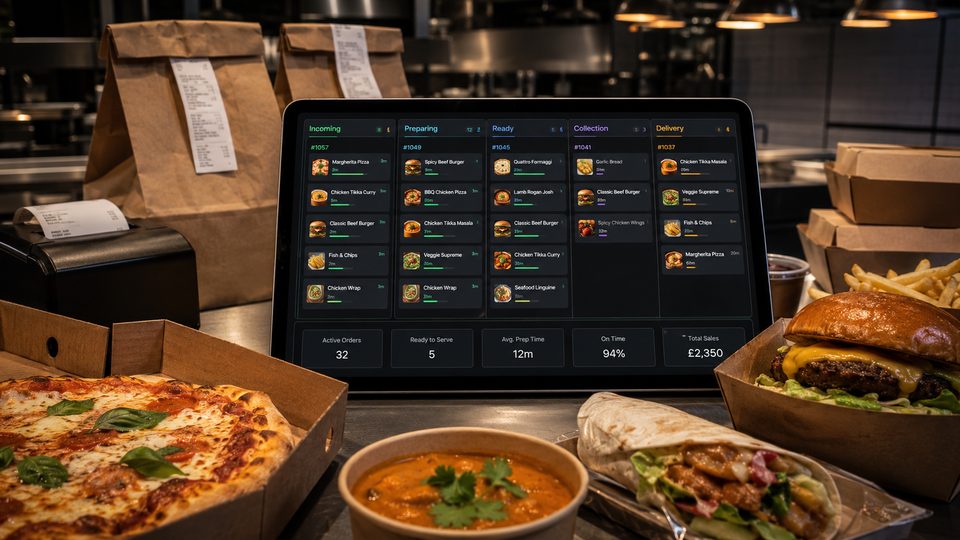
A kitchen may use a KDS for live preparation, a packing printer for labels and a front-of-house printer for customer receipts. Define which output is authoritative. Avoid a setup where staff treat both screen and paper as separate active orders.
Privacy by output
Review every field printed at each location. A kitchen ticket may require an order reference and dietary instruction but not a full phone number or payment record. A delivery label may require controlled address information but should not expose internal notes. Dispose of printouts securely when they are no longer required.
Queue ownership
- who notices a failed printer;
- who may reroute output;
- how reprints are labelled;
- how queued tickets are cleared after recovery;
- how staff prevent duplicate preparation;
- how the incident is recorded and reviewed.
Volume test
Send a realistic burst containing long receipts, complex kitchen tickets and labels. Confirm that each output reaches the correct device in order, remains readable and does not block a higher-priority kitchen job.
Practical next step: list every print job and assign it to a user, location and fallback. Buy hardware only after the routing design is clear.
Related guides
- POS and Kitchen Systems — the main guide for the wider topic.
- Receipt Printers and Hardware — the broader guide that frames this implementation.
- How to Choose a Receipt Printer — a closely related operational control to review alongside this page.
- Printer Setup and Troubleshooting — a closely related operational control to review alongside this page.
Operational, legal and platform requirements can change. Recheck official guidance and supplier documentation before altering a live service.
Related practical guides
 POS and Kitchen SystemsPrinter Setup and TroubleshootingA printer failure during service can hide orders, delay one kitchen station or create duplicate tickets. Troubleshooting should follow a fixed se…Read guide →
 POS and Kitchen SystemsOnline Menu Design MistakesAn online menu is part catalogue, part order form and part kitchen instruction. A design can look attractive while still causing abandoned basket…Read guide →
 POS and Kitchen SystemsKitchen Display System GuideA kitchen display system can improve visibility and order control, but only when it fits the kitchen’s workflow. Buying screens before mapping st…Read guide →POS and Kitchen SystemsKDS for Multi-Station KitchensIn a multi-station kitchen, a KDS must coordinate separate teams without losing the order as a whole. The fryer, grill, preparation section and d…Read guide →POS and Kitchen SystemsKDS Setup and ConfigurationKDS configuration is an operational project, not a screen-installation task. The system must translate menu data into station work, show realisti…Read guide →POS and Kitchen SystemsInternet Connectivity for Takeaway OperationsTakeaway connectivity should be designed around continuity, not headline download speed. Online ordering, payment terminals, POS synchronisation,…Read guide →
Connect customer ordering with operations and profit
Use the wider guide library to check the menu, kitchen, fulfilment, payment and financial implications of each decision.
Browse all practical guides