Order Accuracy and Quality Control
Order accuracy is not one kitchen check at the end of preparation. It is the result of several connected controls: the menu presents valid choices, the checkout records them correctly, the kitchen sees a readable inst…

Order accuracy is not one kitchen check at the end of preparation. It is the result of several connected controls: the menu presents valid choices, the checkout records them correctly, the kitchen sees a readable instruction, the food is packed against the order and the correct bags leave with the correct customer or driver. A fault at any stage can produce the same complaint: “the order was wrong”.
Classify errors before trying to fix them
Use a small number of categories that identify where the failure began:
- menu-data error: wrong price, description, inclusion, availability or modifier rule;
- customer-selection error: an unclear default, missed required choice or accidental quantity;
- routing error: order delayed, duplicated or sent to the wrong device or location;
- kitchen error: item or modifier prepared incorrectly;
- packing error: food prepared correctly but omitted, swapped or placed in the wrong bag;
- handover error: the correct order is given to the wrong customer or driver;
- communication error: a change, delay or unavailable item is not handled consistently.
This prevents every problem being described as “staff error”. Repeated mistakes often point to a menu rule, ticket layout or handover process that makes the wrong outcome too easy.
Control menu and modifier data
Use a named source of truth for item names, prices, availability and modifier groups. When the same product exists on a website, app, marketplace and POS, decide how changes move between them and who verifies the result.
Routine customer choices should be structured. A clear “no onions” removal is easier to interpret than several different free-text versions. Prevent contradictory selections where possible and make paid additions, removals and cooking instructions visually distinct on the kitchen output.
Whenever the menu changes, test at least one order through the complete path. Previewing the web page does not confirm that the receipt and kitchen display are correct.
Use checkout as the first quality-control point
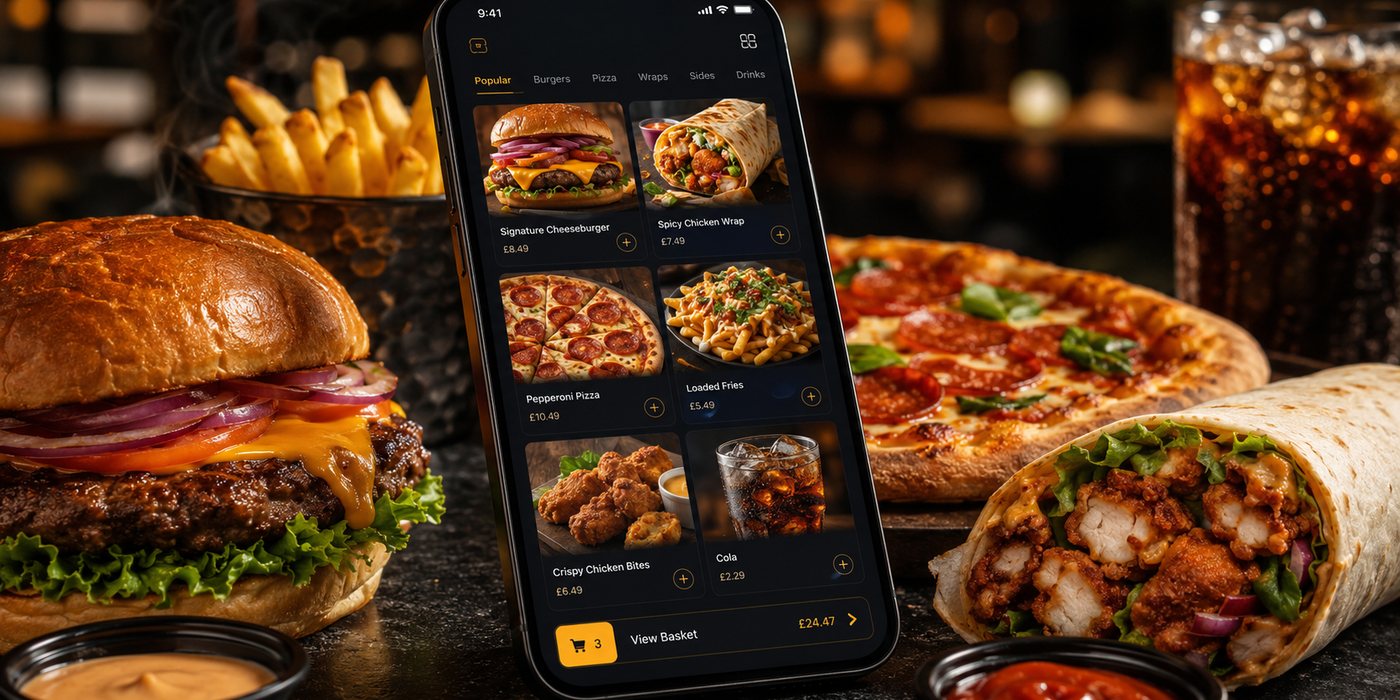
The basket should show every item, quantity and modifier before payment. Required choices must be completed, invalid combinations blocked and meaningful price changes visible.
Keep free text available for genuine exceptions, but do not assume that every note can be honoured. If the note is ambiguous, conflicts with a structured choice or raises an allergen concern, staff need a defined escalation route rather than guessing.
Make kitchen instructions readable at service speed
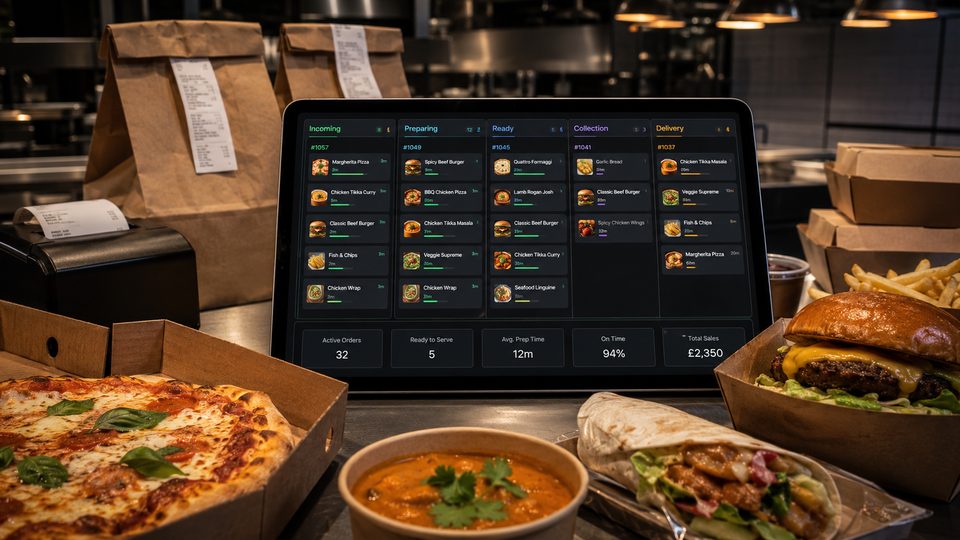
Check the ticket or KDS under real operating conditions. A layout that looks acceptable in an office may fail near heat, noise and several simultaneous orders.
Review:
- font size and contrast;
- item grouping by station or preparation sequence;
- visibility of additions, removals and allergy-related alerts;
- line wrapping for long instructions;
- page breaks on printed dockets;
- how meal deals and multi-part items are separated;
- how orders from different channels are identified;
- whether an order disappears before packing is complete.
Use plain operational wording. Internal codes are acceptable only when every relevant person understands them and new staff are trained consistently.
Create a pass check that fits the kitchen
The person assembling the order should compare the completed items with the ticket or screen. The exact method can vary:
- mark each item as it enters the bag;
- use a verbal call-back for complex orders;
- separate completed items by order before packing;
- require a second check for high-value or heavily modified orders;
- keep the ticket with the order until dispatch.
A control that is too elaborate will be abandoned during peaks. Begin with a simple check that staff can complete every time, then strengthen the areas where the error log shows repeated problems.
Control packing and bag identification
Many complaints begin after cooking is complete. Use a clear bag identifier containing the order number and, where useful, an item or bag count. Multi-bag orders should show that all parts belong together.
Separate sauces, drinks, chilled items and hot food according to the operation's packing process, but make sure the dispatcher can still confirm that every component is present. If a driver or customer collects from a shelf, use numbered positions and staff verification rather than an unstructured pile.
Verify the final handover
At dispatch, match the order reference with the customer, collection record or driver job. For delivery, check the destination and number of bags. For collection, avoid calling out more personal information than necessary.
Where several channels use different numbering formats, add a channel marker or common dispatch label so staff do not confuse similar references.
Handle changes and unavailable items consistently
Decide who can approve substitutions, price adjustments, remakes and refunds. When an item becomes unavailable after acceptance, staff should not replace it silently. Contact the customer using the agreed route, record the decision and make sure the corrected instruction reaches the kitchen and payment record.
If the system cannot amend an accepted order cleanly, document the workaround and the reconciliation step. An informal note beside the till may fix the food while leaving the financial record wrong.
Use allergen requests as an escalation, not a modifier
Digital allergen information must be maintained accurately, but an allergy note should not be treated as an ordinary preference. The business needs a specific process for checking ingredients, possible cross-contact and whether the request can be accepted safely. Staff should not infer safety from a checkbox or promise a separate preparation method unless the operation can support that statement.
Log enough information to find patterns
A useful record can be simple. For each accuracy incident, capture:
- date and service period;
- channel and order reference;
- error category;
- item or modifier involved;
- where the error was detected;
- customer resolution;
- likely cause;
- corrective action.
Do not use the log only to count complaints. Look for concentration: one product, modifier, station, channel, printer layout or handover point may account for a large share of problems.
Review changes against a baseline
Establish the current pattern before introducing a new control. After changing the menu, KDS layout or dispatch process, compare a representative period and check whether the targeted error decreased without creating a different delay.
A short regular review with the team is more useful than a blame-focused investigation after a serious complaint. The people using the system can often identify practical causes that are not visible in a dashboard.
Quality-control checklist
- Menu, receipt and kitchen names are recognisably connected.
- Required modifiers and impossible combinations are controlled.
- The basket gives the customer a complete review before payment.
- Tickets and screens are readable at every relevant station.
- Pass, packing and dispatch checks have clear owners.
- Multi-bag orders are visibly linked.
- Changes, substitutions and refunds leave a complete record.
- Allergen questions follow a separate safety process.
- Errors are categorised and reviewed for patterns.
- New controls are tested during both quiet and busy periods.
Accuracy improves when the correct order is the easiest order to place, read, prepare and hand over. The aim is not to eliminate every human mistake; it is to make recurring failures visible and preventable.
Related guides
- Online Ordering — the main guide for the wider topic.
- Order Handling and Operations — the broader guide that frames this implementation.
- How to Handle Busy Periods — a closely related operational control to review alongside this page.
- Order Modification and Cancellation Policies — a closely related operational control to review alongside this page.
Official guidance checked
Guidance checked: 24 July 2026. The business's documented food-safety and allergen procedures take priority over generic software options.
Operational, legal and platform requirements can change. Recheck official guidance and supplier documentation before altering a live service.
Related practical guides
 Online OrderingOrder Modification and Cancellation PoliciesA useful modification and cancellation policy must be clear to customers and workable for staff. It should not rely on one universal time limit, …Read guide →
 Online OrderingOnline Ordering for New Takeaway BusinessesA new takeaway does not need a marketplace listing, ordering website, branded app and loyalty programme on its first day. It needs one dependable…Read guide →Online OrderingMulti-Location Restaurant Ordering Systems: What ChangesMoving from one takeaway location to several changes more than the number of kitchens. Identity, menu governance, pricing, capacity, support, pay…Read guide →Online OrderingMarketplace Visibility and RankingMarketplace visibility can affect order volume, but restaurants rarely know the full logic behind search, recommendation and sponsored placement.…Read guide →
 Online OrderingMarketplace Menu ManagementA marketplace menu is a live operating document. It controls what customers can buy, what the kitchen receives and what the business may later ne…Read guide →Online OrderingMarketplace Commission StructuresMarketplace cost is rarely one simple percentage. The total depends on the provider, contract, delivery model, promotions, payment treatment, ref…Read guide →
Connect customer ordering with operations and profit
Use the wider guide library to check the menu, kitchen, fulfilment, payment and financial implications of each decision.
Browse all practical guides