Barcode Scanners and Payment Terminals
Peripheral hardware should remove manual work without creating new reconciliation or security problems. A scanner must send the right identifier to the right POS field. A payment terminal must receive and return the c…
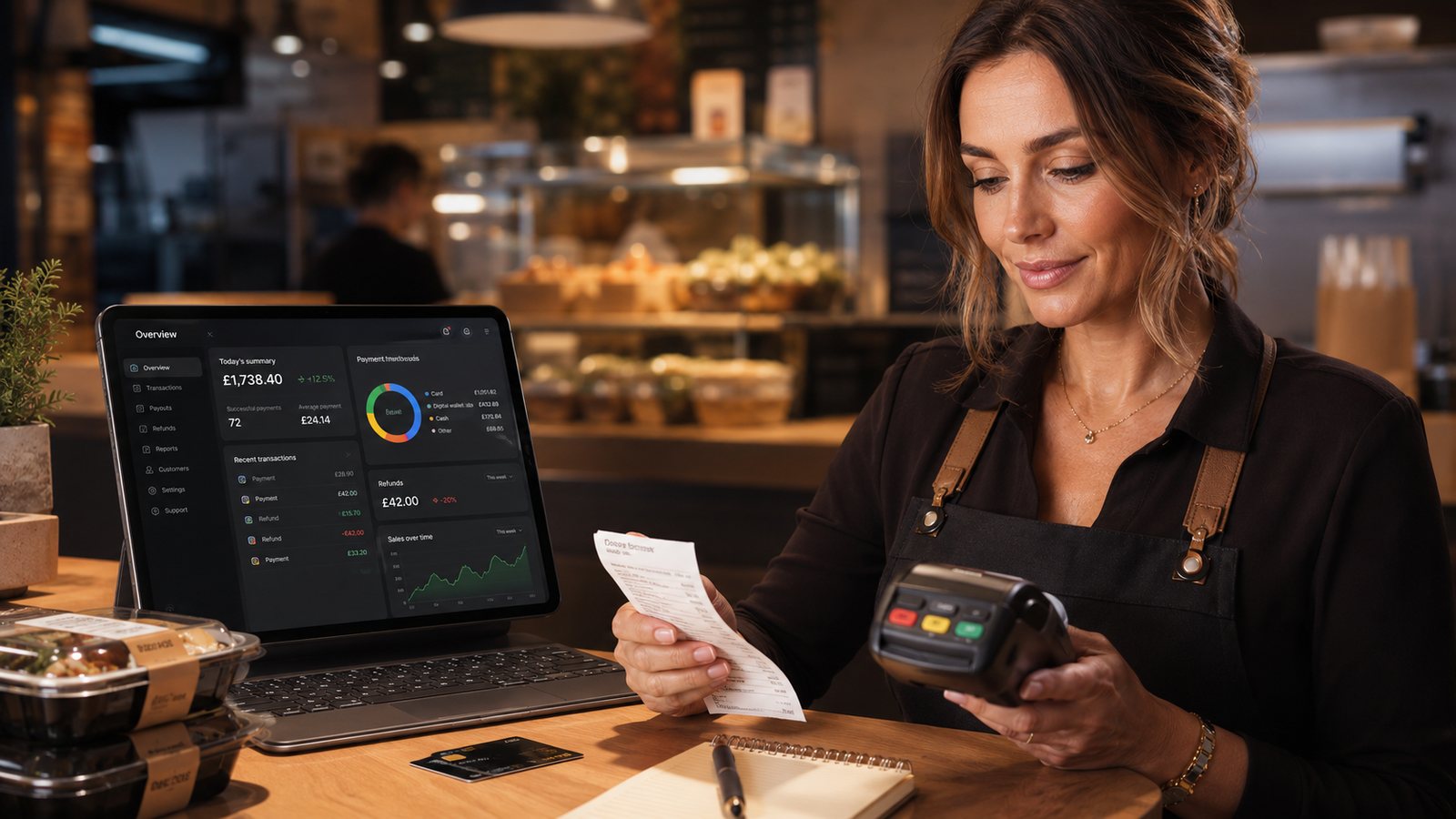
Peripheral hardware should remove manual work without creating new reconciliation or security problems. A scanner must send the right identifier to the right POS field. A payment terminal must receive and return the correct amount and status without staff guessing or re-keying unnecessarily.
Barcode-scanner use cases
- retail drinks, snacks or packaged products;
- loyalty or customer identifiers where appropriate;
- staff or manager cards;
- delivery or order labels;
- stock receiving and counting.
Define the barcode standard, duplicate handling and what happens when an unknown code is scanned. Do not let a scan silently create the wrong product or price.
Scanner selection
| Decision | Questions |
|---|---|
| 1D or 2D | Which barcode and QR formats are actually used? |
| Handheld or fixed | What is the working distance and product flow? |
| USB, Bluetooth or wireless | Which connection is supported and how is pairing controlled? |
| Durability | Can it tolerate drops, cleaning and the operating environment? |
| Configuration | Who controls prefix, suffix and keyboard-emulation settings? |
Integrated versus standalone payment terminals
An integrated terminal normally receives the amount from the POS and returns a result. A standalone terminal requires staff to enter the amount and then record the payment method manually. Integration can reduce re-keying errors, but it must handle cancellations, partial payments, tips, refunds, communication failure and duplicate attempts.
Define payment states
- initiated;
- approved or authorised;
- declined;
- cancelled;
- unknown or timed out;
- reversed;
- refunded;
- settled.
If the POS and terminal disagree, staff must check the provider record before charging the customer again.
Test practical scenarios
- Normal contactless and chip transaction.
- Decline.
- Customer cancellation.
- Terminal loses connection after the customer presents the card.
- POS closes or times out before receiving the result.
- Split payment.
- Tip or gratuity where used.
- Partial and full refund.
- End-of-day settlement and reconciliation.
Security and access
- use provider-approved terminals and software;
- inspect devices for unexpected replacement or tampering;
- restrict refund and administrative permissions;
- do not store prohibited card data in the POS or notes;
- keep terminal inventory, serial numbers and support contacts;
- follow the acquiring bank or provider’s PCI DSS instructions.
Supplier questions
- Which exact terminal models and POS versions are certified or supported?
- Who supports the integration during evening and weekend service?
- How are software and security updates deployed?
- What happens during internet failure?
- Can the terminal use a separate connection?
- How are refunds, tips and split payments represented in reports?
- What are the replacement and contract-exit arrangements?
Barcode data governance
Assign ownership for creating, importing and retiring codes. Prevent duplicate codes, reused identifiers and unapproved price changes. If barcodes identify staff or customers, limit the stored data and access according to the actual purpose.
Terminal connectivity and fallback
Confirm whether the terminal uses Ethernet, Wi-Fi, mobile data or a connection through the POS. Test the loss of each route. A terminal may continue taking payments while the POS is offline, but the business then needs a controlled method to match each payment to an order and avoid charging twice.
Reconciliation controls
- POS payment total by method;
- terminal transaction total;
- refunds and reversals;
- tips or service amounts;
- settlement statement;
- bank deposit;
- exceptions with order and transaction references.
Hardware lifecycle
Keep serial numbers, location, provider, software version, support status and replacement date. Remove retired devices from supplier portals, wipe supported local data and dispose of hardware through an appropriate route.
Practical next step: test the full payment and reconciliation flow with the exact POS, terminal, connection and provider configuration proposed for the site.
Official payment-security reference
Reference checked: 24 July 2026. Confirm the applicable validation route and terminal requirements with the acquiring bank or payment provider.
Related guides
- POS and Kitchen Systems — the main guide for the wider topic.
- POS Hardware and Accessories — the broader guide that frames this implementation.
- Till Screens and Touch Displays — a closely related operational control to review alongside this page.
- Cash Drawers and Security — a closely related operational control to review alongside this page.
Operational, legal and platform requirements can change. Recheck official guidance and supplier documentation before altering a live service.
Related practical guides
 POS and Kitchen SystemsKitchen Printers vs Customer ReceiptsKitchen tickets and customer receipts may originate from the same order, but they serve different users and should not be treated as the same doc…Read guide →
 POS and Kitchen SystemsKitchen Display System GuideA kitchen display system can improve visibility and order control, but only when it fits the kitchen’s workflow. Buying screens before mapping st…Read guide →POS and Kitchen SystemsKDS for Multi-Station KitchensIn a multi-station kitchen, a KDS must coordinate separate teams without losing the order as a whole. The fryer, grill, preparation section and d…Read guide →POS and Kitchen SystemsKDS Setup and ConfigurationKDS configuration is an operational project, not a screen-installation task. The system must translate menu data into station work, show realisti…Read guide →POS and Kitchen SystemsInternet Connectivity for Takeaway OperationsTakeaway connectivity should be designed around continuity, not headline download speed. Online ordering, payment terminals, POS synchronisation,…Read guide →
 POS and Kitchen SystemsHow to Sync Menus Across ChannelsMenu synchronisation should reduce duplicate work without hiding errors. The goal is not to force every channel to look identical. The goal is to…Read guide →
Connect customer ordering with operations and profit
Use the wider guide library to check the menu, kitchen, fulfilment, payment and financial implications of each decision.
Browse all practical guides