Walk-In Orders with Digital Systems
Walk-in customers make the queue visible, but they still share the same kitchen, stock and capacity as remote orders. Counter service should be fast and human without becoming an uncontrolled priority channel.
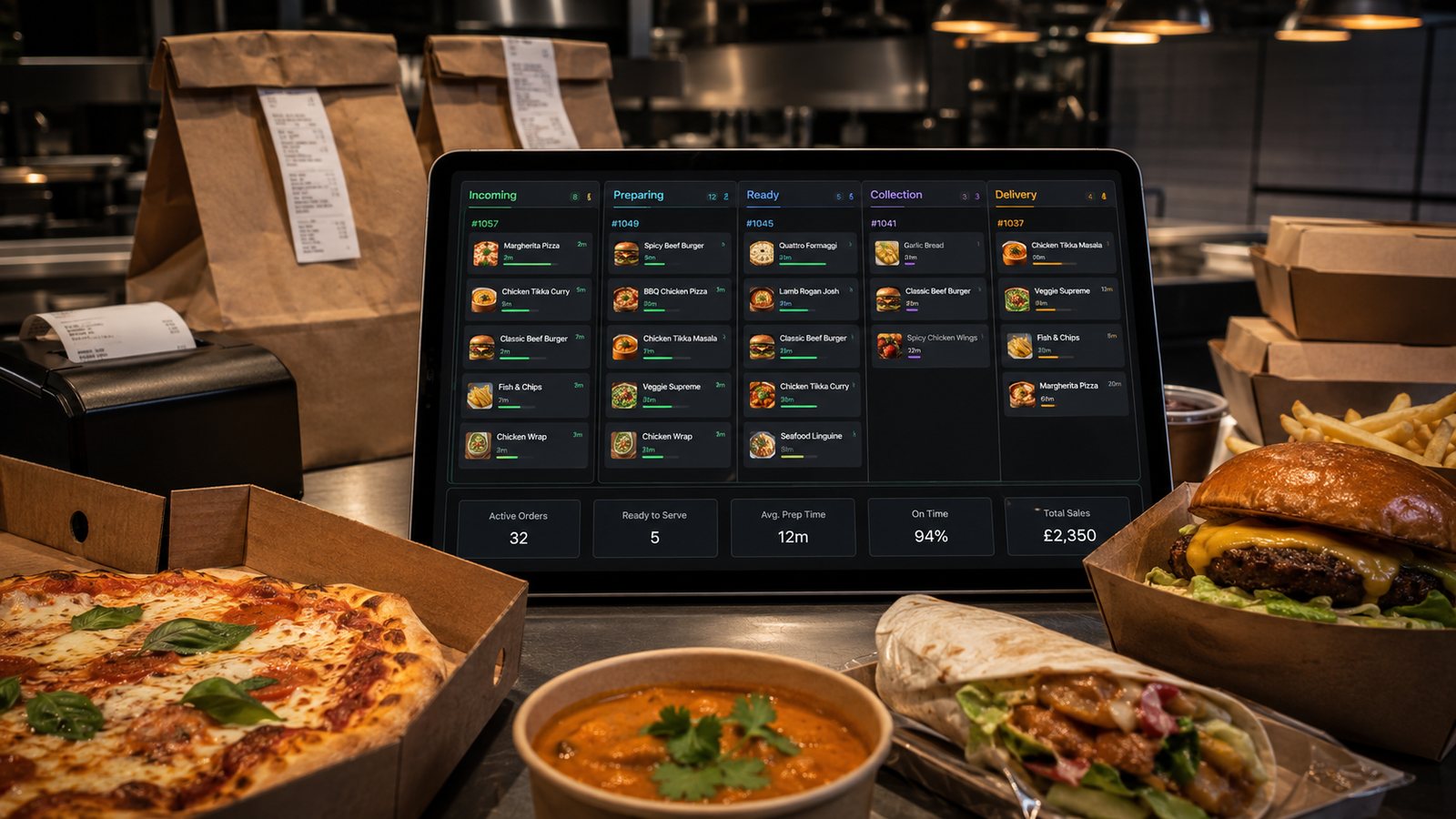
Walk-in customers make the queue visible, but they still share the same kitchen, stock and capacity as remote orders. Counter service should be fast and human without becoming an uncontrolled priority channel.
Design the counter flow
Separate ordering, payment, waiting and collection where space allows. Position the POS so staff can speak to the customer without turning away from the queue. Keep packaging and completed delivery orders out of the payment area. Use an order number or other proportionate identifier for collection rather than announcing personal information.
Optimise POS entry for accuracy
- Place common items and meal structures where staff can reach them quickly.
- Use valid modifiers instead of free-text notes.
- Show availability and daypart changes immediately.
- Route counter orders through the same product and station identifiers.
- Restrict price overrides, refunds and drawer opening by role.
Integrate the kitchen queue
Walk-in orders should enter the same production model as website, app, marketplace and telephone orders. Preserve the source for reporting, but prioritise by promised completion, workload and food readiness. A customer standing at the counter should receive an honest waiting time rather than silently displacing earlier accepted commitments.
Set expectations before payment
Display or explain the current waiting range and unavailable products. During peaks, communicate whether collection orders placed digitally have separate pickup arrangements. Do not accept a rush request without checking the bottleneck station. If the customer chooses not to wait, cancel cleanly before unnecessary production begins.
Manage counter and digital capacity together
| Pressure signal | Possible control |
|---|---|
| Counter queue rising | Assign a host, simplify explanation and publish the current wait. |
| Kitchen queue rising | Extend all channel promises and pause high-workload products. |
| Collection shelf congested | Improve verification, spacing and ready notifications. |
| Payment bottleneck | Check terminal, network and cash-drawer process; do not duplicate payment. |
Protect allergen and dietary handling
Counter conversation does not remove the need for accurate allergen information and approved procedures. Staff should know where to find the current source, when to escalate and how to communicate the request to the kitchen. Avoid unsupported guarantees and prevent casual substitutions.
Control cash and refunds
Assign tills or drawers to responsible staff or shifts. Record every cash sale, refund, void and paid-out adjustment through the approved system. Keep the drawer closed when not in use and reconcile differences promptly. Digital refunds should follow the original payment and provider route where appropriate.
Support accessibility
Digital screens and self-service tools should not remove the staffed route. Provide clear language, readable information and assistance. Train staff to describe options without pressure. If a customer cannot use the digital interface, the alternative should still create a controlled order record.
Review walk-in outcomes
- Queue and service time.
- Walkaways before ordering.
- Entry and modifier corrections.
- Promise accuracy.
- Cash and payment exceptions.
- Impact on digital orders during peaks.
Practical next step
Observe the counter for one normal and one peak period. Mark each customer movement, staff handoff and interruption. Redesign the physical and digital sequence before adding another screen or kiosk.
Measure the visible and invisible queue together
Record counter arrivals, digital commitments, quoted waits, walkaways and actual handover times on the same timeline. A short physical queue can still conceal a heavily committed kitchen. Use the combined view to set counter promises and staffing, and avoid interpreting fewer people in the shop as spare production capacity.
Related guides
- Cross-Channel Operations — the main guide for the wider topic.
- Channel-Specific Operations — the broader guide that frames this implementation.
- Telephone Orders Alongside Digital — a closely related operational control to review alongside this page.
- Social Media Ordering — a closely related operational control to review alongside this page.
Operational, legal and platform requirements can change. Recheck official guidance and supplier documentation before altering a live service.
Related practical guides
 Cross-Channel OperationsTelephone Orders Alongside DigitalTelephone orders can remain valuable for accessibility, complex enquiries and customers who prefer human help. The operational requirement is to …Read guide →Cross-Channel OperationsStaffing for Digital OrdersDigital demand creates an invisible queue and new control work. Staff the workload at intake, kitchen, packing, handover, support and reconciliat…Read guide →Cross-Channel OperationsReducing Kitchen Load from Online OrdersReduce digital workload by controlling product complexity, preparation, batching, capacity and information quality. Do not solve an overloaded ki…Read guide →Cross-Channel OperationsOrder Timing and Prep ManagementA preparation promise should be generated from real workload and fulfilment conditions, then updated when those conditions change. One fixed time…Read guide →
 Online OrderingMarketplace Commission StructuresMarketplace cost is rarely one simple percentage. The total depends on the provider, contract, delivery model, promotions, payment treatment, ref…Read guide →
 PaymentsMarketplace Payout IssuesA missing or reduced marketplace payout should be investigated as a reconciliation problem, not guessed from the bank balance. The difference may…Read guide →
Connect customer ordering with operations and profit
Use the wider guide library to check the menu, kitchen, fulfilment, payment and financial implications of each decision.
Browse all practical guides