Accepting Orders from Multiple Sources
The first operational task in multi-channel ordering is to turn several alerts, tablets, calls and counter interactions into one reliable intake process without losing the original source or creating duplicate work.
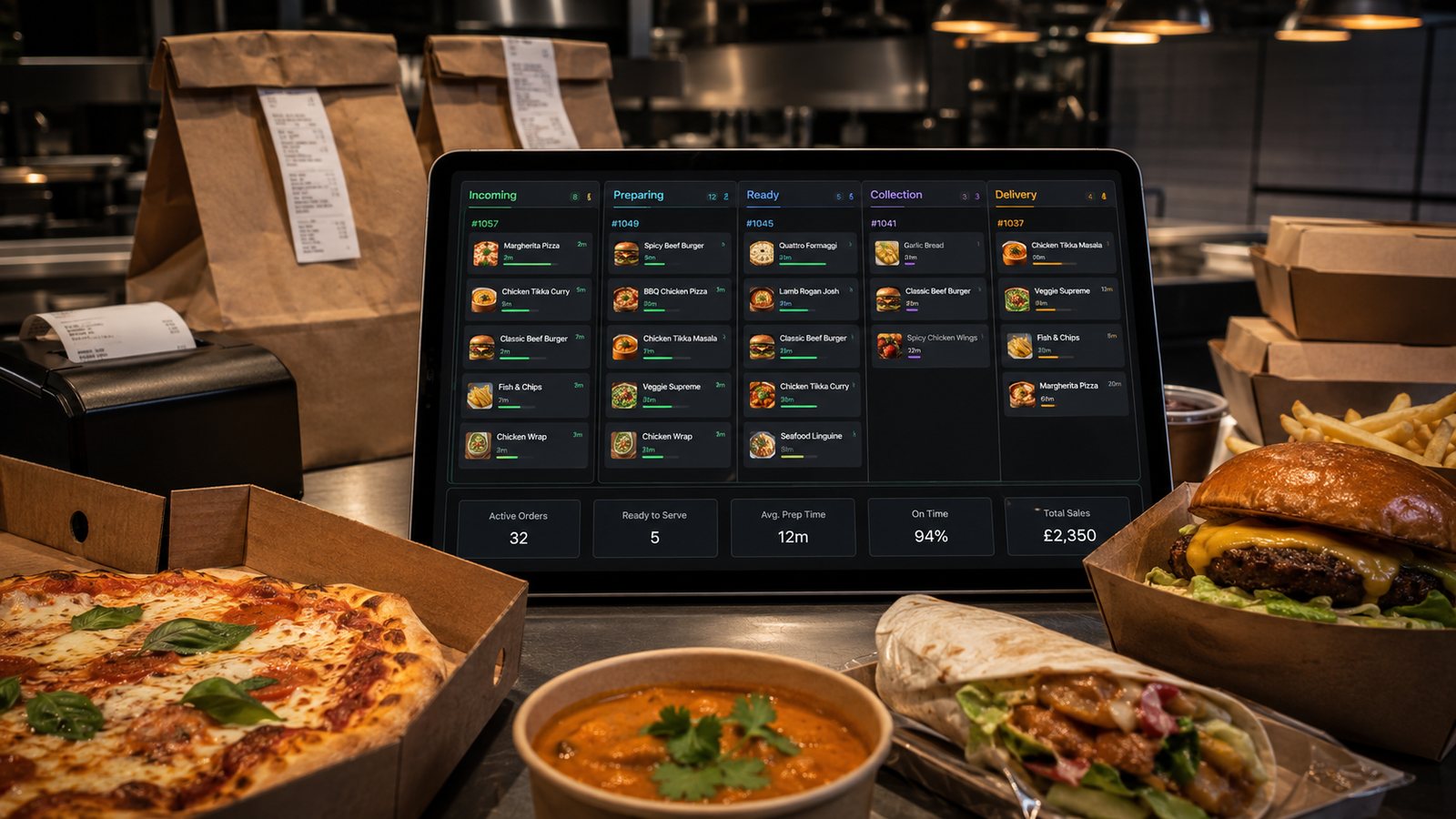
The first operational task in multi-channel ordering is to turn several alerts, tablets, calls and counter interactions into one reliable intake process without losing the original source or creating duplicate work.
Related guides
- Cross-Channel Operations — the main guide for the wider topic.
- Multi-Channel Order Management — the broader guide that frames this implementation.
- Kitchen Workflow for Multi-Channel Orders — a closely related operational control to review alongside this page.
Inventory every source and device
List direct website, app, each marketplace, telephone, counter, advance orders and any approved social-media route. For each source, record the device or integration, login owner, notification method, acceptance rule, payment method, printer or KDS destination, support contact and pause control. Include fallback devices and personal phones used informally; an undocumented source is still part of the operation, but it is harder to secure and reconcile.
Choose a controlled intake model
| Model | Strength | Main risk |
|---|---|---|
| Separate provider devices | Simple and close to the provider's supported setup | Missed alerts, clutter and repeated entry |
| Order aggregator | One operational queue and less manual entry | Mapping errors and an additional dependency |
| POS-native integrations | Shared menu, payment and reporting potential | Integration claims may be incomplete or version-dependent |
| Manual controlled entry | Works for phone, walk-in and fallback | Training, speed and transcription error |
Create one order record at the boundary
Every accepted order should receive a stable internal identifier while retaining the provider order number. Capture source, fulfilment, promised time, customer contact needed for fulfilment, payment state, items, modifiers and special operational flags. Do not merge two orders merely because the customer name or telephone number looks similar. Duplicate protection should use provider IDs, transaction references and a defined time-and-basket test with human review.
Design the acceptance decision
- Is the location open for this fulfilment type?
- Is the address or collection slot valid?
- Are all ordered items and modifiers available?
- Can the kitchen meet the displayed promise?
- Is payment confirmed, cash, or genuinely unknown?
- Does an allergen or dietary request require escalation?
Automatic acceptance can reduce delay, but only when capacity and availability data are trustworthy. If a provider auto-accepts before the kitchen can evaluate the order, define the fastest safe correction route and monitor how often it is used.
Control tablets and user access
Assign each device to a physical position and named shift role. Use business-owned accounts, strong authentication and restricted permissions. Disable departed users promptly. Keep chargers, stands and spare connectivity available. Test notification volume in a real service environment; a quiet alert that works in an office may fail beside extraction fans and kitchen equipment.
Validate integrations with real orders
Do not accept a supplier statement that orders “integrate”. Test simple and complex items, modifiers, discounts, tips, delivery fees, scheduled orders, refunds, rejected items and duplicate submissions. Compare the customer basket, provider record, POS, kitchen output and settlement. Record unsupported fields and the manual control used for each one.
Manage channel conflict
All channels should draw from shared capacity. When the kitchen reaches an agreed threshold, the shift lead needs a defined sequence for extending times, reducing slots, pausing complex products or pausing sources. Do not allow the loudest tablet or physically present customer to become the default priority. Priority should follow the promised completion time, food readiness and operational safety.
Maintain an intake exception log
Record missed alerts, late acceptance, duplicate tickets, incorrect routing, unsupported modifiers, payment uncertainty and orders accepted after capacity should have closed. Review the log weekly by source and integration version. A recurring manual correction is a system requirement, not an individual staff failure.
Practical next step
Run five representative test orders through every source during a controlled session. Follow each order from notification to kitchen output, customer message, payment record and final reconciliation. Fix the full route before adding another channel.
Operational, legal and platform requirements can change. Recheck official guidance and supplier documentation before altering a live service.
Related practical guides
 Cross-Channel OperationsWalk-In Orders with Digital SystemsWalk-in customers make the queue visible, but they still share the same kitchen, stock and capacity as remote orders. Counter service should be f…Read guide →Cross-Channel OperationsTelephone Orders Alongside DigitalTelephone orders can remain valuable for accessibility, complex enquiries and customers who prefer human help. The operational requirement is to …Read guide →Cross-Channel OperationsStaffing for Digital OrdersDigital demand creates an invisible queue and new control work. Staff the workload at intake, kitchen, packing, handover, support and reconciliat…Read guide →Cross-Channel OperationsReducing Kitchen Load from Online OrdersReduce digital workload by controlling product complexity, preparation, batching, capacity and information quality. Do not solve an overloaded ki…Read guide →
 Restaurant Marketing and Customer RetentionHow to Measure Repeat Order RateRepeat-order rate is only meaningful when the customer identity, eligible population and observation period are stated. A percentage without thos…Read guide →
 Delivery ManagementPackaging Costs and Margin ImpactMeasure packaging by usable order configuration and failure cost, not only by the supplier price of an individual container.Read guide →
Connect customer ordering with operations and profit
Use the wider guide library to check the menu, kitchen, fulfilment, payment and financial implications of each decision.
Browse all practical guides