POS Systems for Different Takeaway Types
The best POS depends on the operating model. Cuisine matters because it changes modifiers, preparation timing and packaging, but service style, order channels and kitchen layout usually matter more than the restaurant…
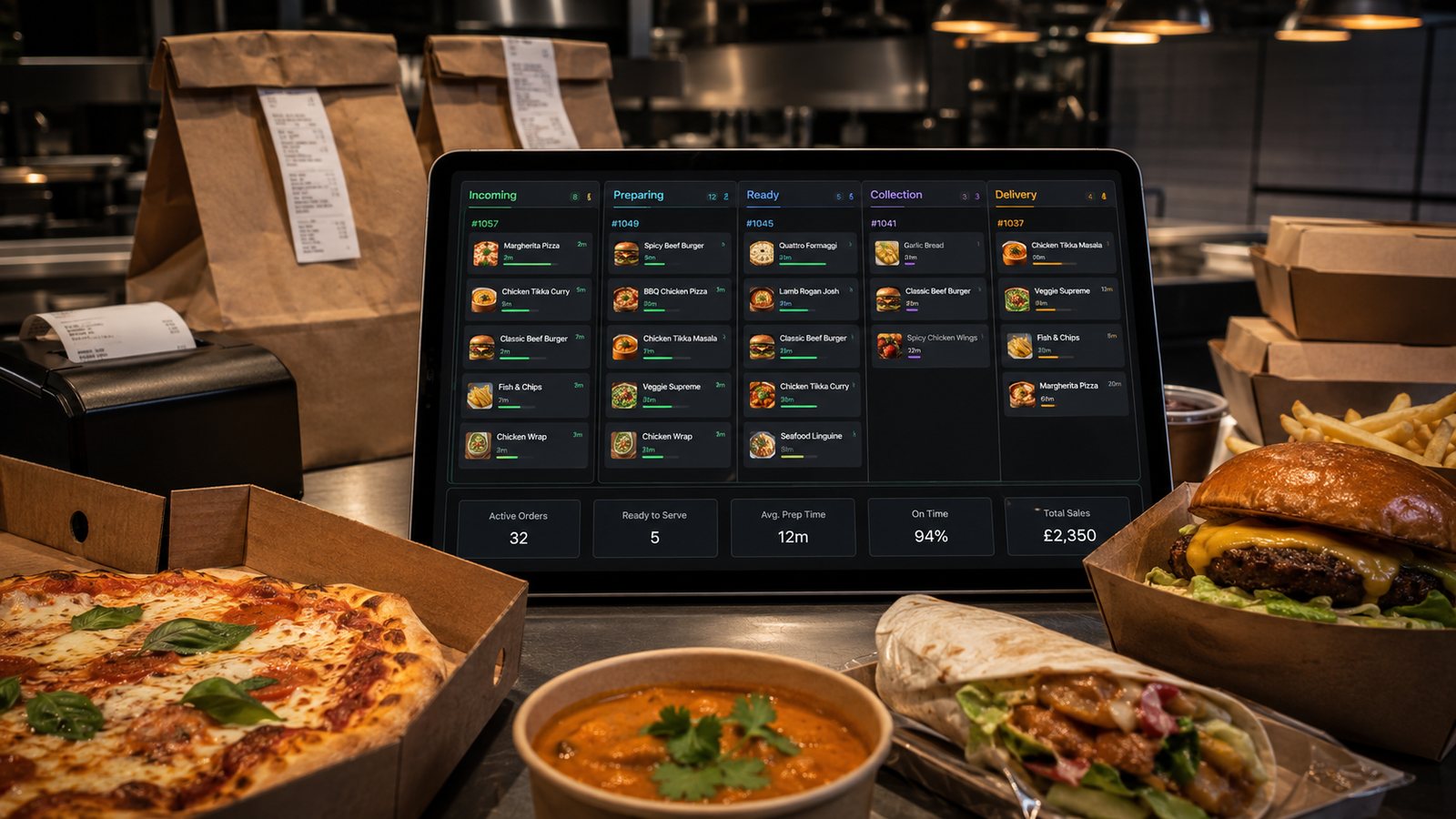
The best POS depends on the operating model. Cuisine matters because it changes modifiers, preparation timing and packaging, but service style, order channels and kitchen layout usually matter more than the restaurant label on a supplier’s website.
Compare workflows before products
| Operation | High-priority POS capabilities |
|---|---|
| Fast counter service | Rapid order entry, clear button layout, simple modifiers, cash and card control |
| Delivery-led takeaway | Address validation, delivery zones, driver handover, status and channel capacity |
| Highly customised menu | Structured modifiers, valid combinations, pricing and kitchen-readable output |
| Multi-station kitchen | Item routing, KDS or printer control, shared timing and expeditor view |
| Lunch and pre-order business | Scheduled orders, production planning, collection slots and business-customer records |
| Multi-location group | Central control, location exceptions, permissions, exports and consolidated reporting |
Fish and chip shops and fast counter service
Priorities often include quick product selection, size and portion modifiers, meal combinations, fryer or wrapping output and a clear cash/card close. Test how the system handles high-volume repeated items and temporary product shortages.
Pizza and delivery-led operations
Test sizes, crusts, half-and-half choices, toppings, meal deals, delivery zones, scheduled orders and driver handover. A feature list that says “modifiers supported” is not enough; build the actual complex products.
Indian, Chinese and other modifier-rich menus
Spice level, protein choice, rice or side selection, dietary requests and set menus can create many valid combinations. The POS should prevent contradictory selections and route the final choice clearly to the right kitchen station.
Sandwich, bakery and lunchtime operations
Speed, ingredient-level customisation, office pre-orders, collection waves and item labelling may be central. Barcode or label support can matter more than delivery-driver features.
Multi-brand and virtual-brand operations
Confirm whether menus, stock dependencies, kitchen routes and reports can remain distinct while sharing equipment and staff. Avoid duplicate item records that make availability and contribution impossible to understand.
Multi-location operations
- central menu with controlled local exceptions;
- location-specific pricing and availability;
- role-based permissions;
- consistent item IDs;
- location and consolidated reporting;
- transfer or reuse of customer information only where appropriate;
- documented migration and exit.
Demonstration scenarios
- Build five normal and five difficult products.
- Enter orders through every active channel.
- Test amendments, refunds and sold-out items.
- Route work to the real kitchen outputs.
- Run a peak-order simulation.
- Close the day and reconcile payments.
- Export order-level data.
- Test one device or connection failure.
Do not buy an industry label
“POS for pizza” or “POS for fish and chips” can be useful shorthand, but the business should still verify integrations, support, data ownership, hardware, total cost and fallback. A well-configured general restaurant system may fit better than a specialist system with weak integrations.
Score systems against evidence
| Area | Evidence | Decision |
|---|---|---|
| Order entry | Timed test using real orders | Meets workflow or requires workaround |
| Modifiers | Actual complex products built | Valid combinations and kitchen output verified |
| Channels | Live integration demonstration | Fields, errors and support ownership understood |
| Kitchen | Printer or KDS routing test | Stations and fallback proven |
| Reporting | Sample order-level export | Contribution and reconciliation possible |
| Exit | Contract and data-export terms | Migration risk acceptable |
Common selection mistakes
- buying for a future business model while making today’s operation slower;
- assuming a cuisine template will match the actual menu;
- ignoring telephone, cash or walk-in workflows;
- accepting “integration available” without field-level evidence;
- testing only normal orders;
- underestimating configuration, training and support effort;
- failing to plan for contract exit and data migration.
Configuration still matters
The same POS can perform very differently in two takeaways. Button layout, modifier structure, station routing, permissions, order promises and staff training often determine success more than the product category.
Practical next step: write the ten hardest orders your staff enter today and use them as the supplier demonstration script.
Related guides
- POS and Kitchen Systems — the main guide for the wider topic.
- POS System Selection and Setup — the broader guide that frames this implementation.
- How to Choose a Restaurant POS System — a closely related operational control to review alongside this page.
- Restaurant POS Integration Guide — a closely related operational control to review alongside this page.
Operational, legal and platform requirements can change. Recheck official guidance and supplier documentation before altering a live service.
Related practical guides
 POS and Kitchen SystemsPrinter Setup and TroubleshootingA printer failure during service can hide orders, delay one kitchen station or create duplicate tickets. Troubleshooting should follow a fixed se…Read guide →
 POS and Kitchen SystemsOnline Menu Design MistakesAn online menu is part catalogue, part order form and part kitchen instruction. A design can look attractive while still causing abandoned basket…Read guide →POS and Kitchen SystemsKitchen Printers vs Customer ReceiptsKitchen tickets and customer receipts may originate from the same order, but they serve different users and should not be treated as the same doc…Read guide →
 POS and Kitchen SystemsKitchen Display System GuideA kitchen display system can improve visibility and order control, but only when it fits the kitchen’s workflow. Buying screens before mapping st…Read guide →POS and Kitchen SystemsKDS for Multi-Station KitchensIn a multi-station kitchen, a KDS must coordinate separate teams without losing the order as a whole. The fryer, grill, preparation section and d…Read guide →POS and Kitchen SystemsKDS Setup and ConfigurationKDS configuration is an operational project, not a screen-installation task. The system must translate menu data into station work, show realisti…Read guide →
Connect customer ordering with operations and profit
Use the wider guide library to check the menu, kitchen, fulfilment, payment and financial implications of each decision.
Browse all practical guides